
Service / Occulus Films
Training video production for teams that work with their hands
Safety training, onboarding and practical demonstrations built with your subject-matter expert. Show the details, keep lessons focused and give people a reason to think.
Phoenix, Arizona · Serving clients across North America
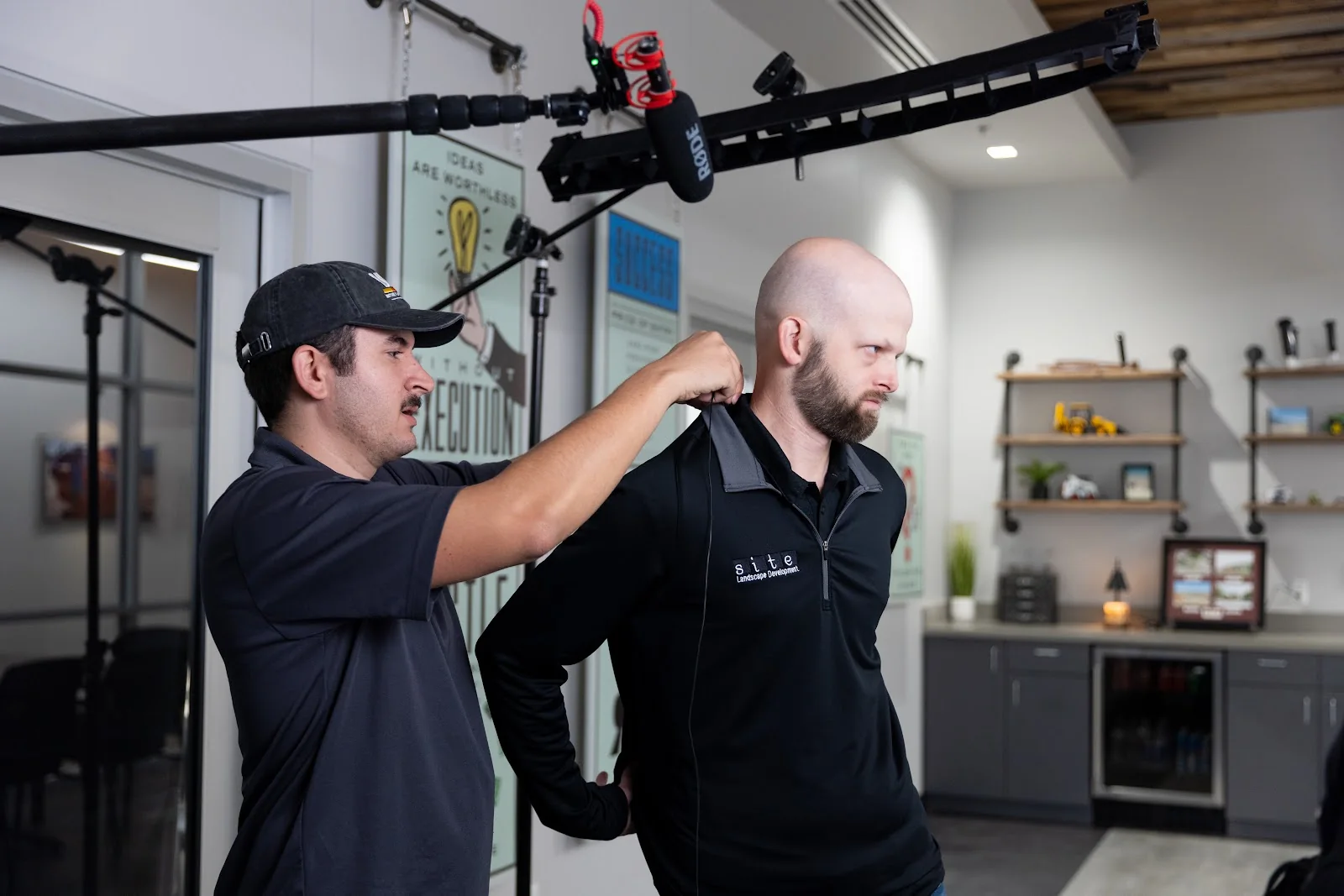
A training video should show people how to do the work
Recording someone talking through a slideshow is an easy way to produce a video. It is also an easy way to lose your audience. If your team needs to learn a task, they need to see the task, including the details that make the difference between understanding it and guessing.
Good training video production combines your subject-matter expertise with a clear, engaging way to present it. We help plan the format, capture the work and edit the material into lessons people can follow. Your expert brings the knowledge. We help make that knowledge visible.
Occulus Films is a veteran-owned, family-run video production company based in Phoenix, founded in 2014. We have produced safety training for Urban Energy Solutions and captured material for Bayer Crop Science's new-employee onboarding videos.
Whether you are explaining a field procedure, introducing new employees to your operation or demonstrating software, start with the learner. What should they understand afterward? What do they need to see? What will help them put the information into practice?
Training video work we have done
Urban Energy Solutions: safety training without repeating the in-person presentation
We created safety training videos for Urban Energy Solutions that replaced the need for its safety manager to present that training in person. The videos gave the company a way to deliver those presentations without requiring the manager to repeat them live.
This is a practical reason to invest in training video: turn a presentation your team needs repeatedly into material they can access again. The content still needs to be accurate and useful, and the production should be planned around what viewers need to learn.
Bayer Crop Science: content for new-employee onboarding
For Bayer Crop Science, we captured content intended for onboarding videos for new employees. That work supported the company's onboarding content rather than a public advertising campaign.
The role matters: capturing material for a client's training program is different from designing and delivering its entire course. We can discuss the production support your internal team needs or a project that includes planning, filming and editing.
What makes a training video useful?
Show the details people actually need
A video can look polished and still be too high-level to help anyone. If the viewer cannot see the important step or understand what is happening, attractive footage will not solve the problem.
For a detailed trade procedure, we need to film someone doing the work. That might mean showing the sequence, a component, a hand movement or the detail an experienced person checks before moving on. Those shots have to be identified before production so we capture the information the lesson depends on.
That is also why your subject-matter expert needs to be involved. They know which details are essential and where a new person is likely to misunderstand the task. We work with them to turn that knowledge into a filmable plan.
Keep the presentation moving
Engagement is part of making the material useful. Change what viewers see when the information calls for it: show the demonstration, move to a relevant detail, use a screen recording or add motion graphics that make the explanation clearer.
The point is to help the viewer follow the topic. A long stretch of someone talking, with little relevant action on screen, gives people very little reason to stay attentive.
Break the series into topics
We recommend shorter videos organized by topic rather than an uninterrupted one- or two-hour recording. Each lesson can focus on a defined part of the work, with space between lessons for people to process what they have seen.
The right length depends on the subject. A procedure with several important details needs enough time to show them. Breaking up the series should make the material easier to follow without stripping out the explanation someone needs.
Give people something to do with the information
Consider an exercise, discussion break or check-on-learning quiz between lessons. Asking people to think about the material can interrupt passive viewing and give them a reason to apply it.
If your training system supports automated quizzes, those can be part of the learning plan around the videos. We can suggest formats and presentation ideas; any quiz implementation or platform work needs its own agreed scope. Standard video delivery does not automatically include an automated course.
Training videos we can help you produce
Safety and field training
Show the procedure in the environment where it matters. Plan the demonstrations with your expert, outline the important steps and film the details a learner needs to recognize. Your team reviews the technical content.
For related production settings, explore our video production for trades and home services and agriculture video production.
Onboarding videos
Give new employees a clear introduction to the work they are joining. The content and format should follow your actual onboarding needs rather than a generic company introduction.
Onboarding can connect with recruitment videos, but the purpose changes after someone is hired. A candidate is deciding whether to join; a new employee needs information they can use to get started.
Software and process demonstrations
Screen recording can show the actual actions someone needs to follow in software. We can combine it with filmed explanations or supporting graphics where those help make the process clear.
Before recording, identify the workflow, the necessary steps and what the viewer should see as they complete them. The same planning principle applies to a screen as to a job site: capture the details that teach the task.
How we develop and produce the training
1. Work with your subject-matter expert
Your company normally supplies the subject-matter expert and does most of the initial outlining. We are experts in presenting information through video; we need your expert to explain the training subject and confirm that the content is correct.
If you need outside subject-matter expertise, we can discuss bringing someone in. In most cases, working with the person who knows the procedure at your company is the practical starting point.
2. Turn the outline into a script and capture plan
We can help develop a script from a detailed outline. Another option is a detailed walkthrough conversation with your expert: we record the audio, use the transcript to help develop a first draft, and your team refines it.
That can speed up getting the knowledge onto the page. It still requires your input and review. We also suggest formats and creative ways to present the material so it is engaging and useful.
3. Film the tasks and record the screens
The outline becomes a guide to what must be captured. If a lesson depends on seeing someone perform a task, we plan time to film that task and the relevant details.
Several lessons may be captured within a relatively short production period. The number of procedures, the detail required and the time it takes to demonstrate them determine how much filming is needed. If you have your own editor, we can also discuss production-only crew support.
4. Edit each lesson and deliver the files
Each lesson adds an edit. A series that is efficient to film may still need a substantial post-production period to assemble all the demonstrations, screen recordings and graphics.
We typically provide MP4 video files for your team to upload to YouTube or the media or training system it uses. Tell us about that destination during planning so we can discuss any specific delivery requirements.
Live action, screen recording and motion graphics
We offer filmed demonstrations, screen recording and motion graphics that help illustrate the information or make it clearer. Choose the method around what the learner needs to see.
We do not directly produce fully animated videos in-house. If a project needs that approach, we would partner with another team. Full animation is often unnecessary when the real process can be shown clearly.
What training video production costs
High-quality, engaging training video projects start around $3,000 and can cost more depending on the scope. That is a starting point for discussion, not a fixed series package or a price for every lesson.
The biggest questions are how much content we need to capture and how much detail each topic requires. A detailed trade procedure takes time to outline and film properly. More lessons can increase production time, and each additional lesson adds another video edit.
Bring your lesson outline, available subject-matter expert and intended use to the conversation. Those details help us estimate the actual work instead of pricing a series from its video count alone.
How long does it take?
For a suitably scoped project, planning, production and post-production can take approximately 1–3 weeks. The schedule depends on the assignment; a large training series needs more preparation and editing time.
Capturing a lot of material quickly does not mean all the finished lessons will be ready immediately. We agree on the schedule around the amount of content, the demonstrations and the post-production work involved.
Get an estimate
Tell us what your team needs to learn, what training material you already have and who can walk us through the subject. We will discuss how to present it, what needs to be filmed and the scope of the finished lessons.
If your project also needs interviews, explore our interview video production approach. Get an estimate for your training project.
Before the shoot
Questions about planning your project.
Scope, capture, and delivery—clear before production starts.
How long should a training video be?
We recommend shorter videos organized by topic instead of one uninterrupted hour- or two-hour-long recording. Each lesson still needs enough time to show the details someone must understand.
How many training videos can you film in one day?
It depends on the tasks, demonstrations and level of detail. Several lessons can sometimes be captured in a short production period, but each lesson also adds editing work. We plan the schedule from the actual content.
Do you write training scripts?
We can develop a script from a detailed outline or a recorded walkthrough with your subject-matter expert. Your team supplies the technical knowledge, does most of the initial outlining, and reviews and refines the script.
Can our trainer or subject-matter expert be involved?
Yes. We normally work with your company's subject-matter expert to explain the material and confirm accuracy. We can discuss outside subject-matter support if needed.
Do you offer screen recording or animation?
We offer screen recording, filmed demonstrations and motion graphics to help explain the material. Fully animated videos require a partner team rather than in-house animation production.
What files do you deliver?
We typically deliver MP4 video files for your team to upload to YouTube or its media or training system. We discuss any specific delivery requirements during scoping.
Can training include exercises or quizzes?
We recommend considering exercises, breaks or check-on-learning quizzes between lessons. Automated quizzes depend on your system and a separately agreed implementation scope; standard MP4 delivery does not include an automated course.
What does training video production cost?
High-quality, engaging training video projects start around $3,000 and can cost more. The amount of content, the detail to capture and the number of lesson edits affect the budget.
How long does a project take?
A suitably scoped project can take approximately 1–3 weeks for planning, production and post-production. Larger series need more preparation and editing time, so we confirm the schedule for the actual scope.
Related services
Planning resources
Your next step
Let’s talk about what you need.
Bring an idea, a brief, or a challenge. We’ll start with a conversation.