
Video Production
How to Plan Event Video and Photography Your Team Can Actually Use
A practical checklist for planning interviews, event coverage, photography and a useful production-only handoff.
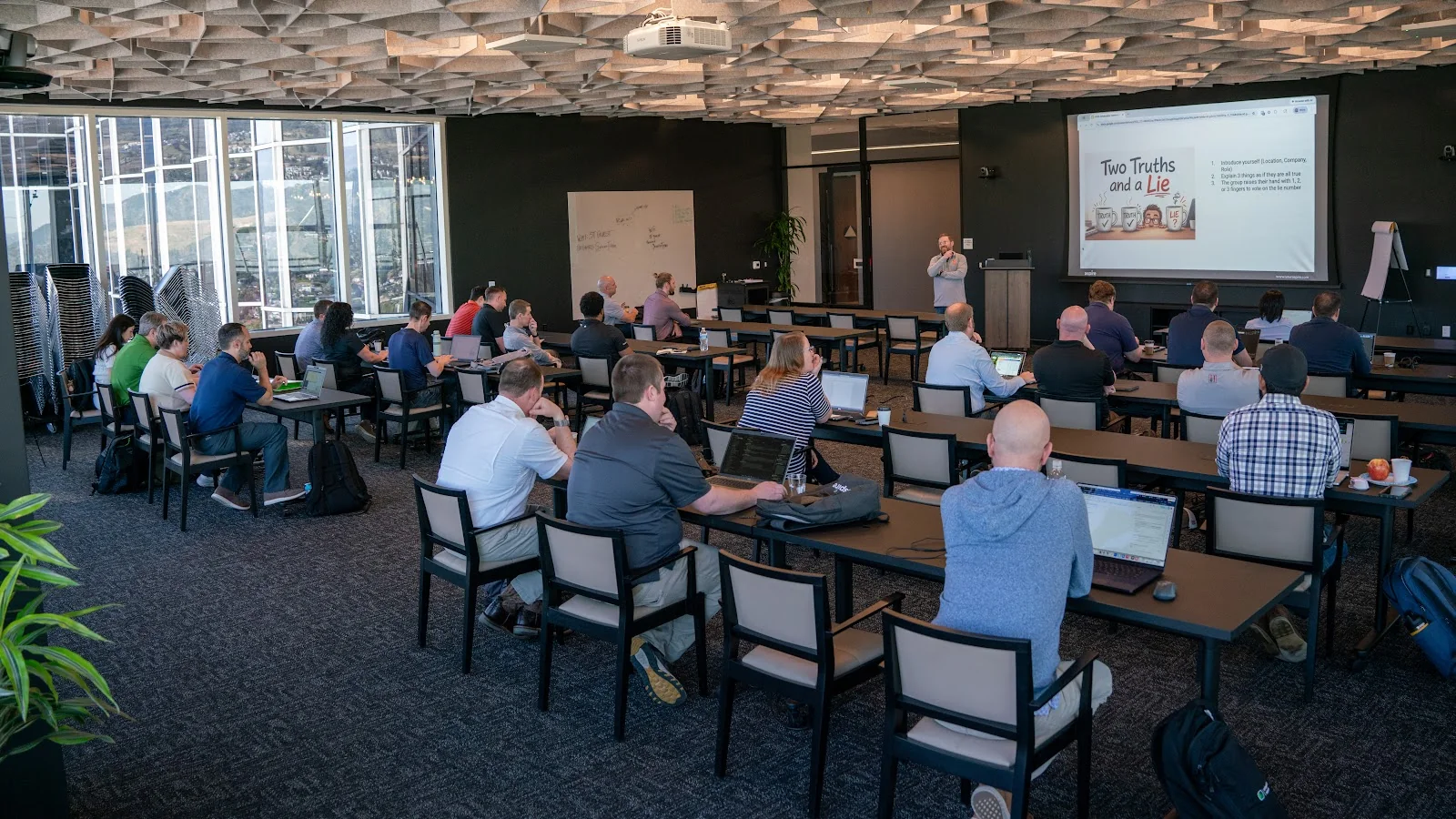
A customer event can produce much more than a recap. It's probably a rare opportunity where many of your best customers are in one place. It can give a marketing team interviews, useful B-roll (general footage for storytelling use), social video, photography and material for future campaigns and branding. Getting the most value out of your event starts with deciding what challenges you can address with the content, then what to capture and how the material will be used, specifically - such as formats and channels.
This checklist is for teams planning corporate event video and photography, including teams that already have editors or in-house staff, but use external production support.
Start with the assets your team actually needs
List the audiences and uses before planning your content. An event organizer may need a recap for next year's promotion, as well as some short testimonials about the quality of the event, to trickle out months leading up to next year. Sales may need a customer story focused on a specific result or sales objection they are currently facing. Social teams may need vertical clips. Your website may need fresh photographs of real customers and employees.
For each use, agree on who needs the asset, what format they need and when they need it. A long list of possible deliverables is less useful than a short list with a clear destination and owner.
Event coverage versus production for videos shown at an event
Filming an event and producing content to play on its screens require different planning. Screen content may need strategy, interviews, editing and technical delivery well before the doors open. While it can be possible to put something together to play at an event with short-notice, it creates potential problems which could delay the video being ready, or reduce quality. We recommend any filming for a video playing at an event take place at least 4 weeks prior, with 2 weeks being our recommended minimum.
Make sure your hired video team knows the format and resolution requirements for whatever screens you are using. Normally, 2k resolution is sufficient for most large screens (even movie theaters screen at 2k), but if you have odd dimensions for your screens make sure your team knows how to format the video - this is also important for knowing how to frame and shoot the content as well as for deliverables.
If you are comparing scope and crew options, explore our conference and event video production and event photography services.
A practical event video and photography shot list
- People: the customers, keynote speakers, guest speakers, presenters, panelists, team members, and partners whose presence matters to the story. (For some of these, getting a copy of your footage could be seen as a desirable perk!)
- Interviews: the people you can realistically schedule during the event, the topics to cover and the environment where you can record clean sound. We usually recommend a large room that creates depth and can be decorated for interviews, can be locked by crew for equipment storage during the event, isn't too far from most of the event for convenience, and is carpeted to keep any echoing to a minimum.
- Context: location, arrivals, signage, setup and wide views that help a viewer understand where they are as well as the scope of the event.
- Action: demonstrations, conversations, participation and the details that show what happened. Smiles, interpersonal interaction, laughing, and movement are what we typically focus on.
- Photography: group photography, portraits, Human interactions, branded printing, stage moments and images intended for specific campaigns or layouts.
- Formats: horizontal and vertical needs, room for text and any must-have framing.
- Must-not-miss moments: the moments that happen once and need coverage assigned in advance. For example, giving of awards, surprise gifts, recognitions or announcements, and so on. Mark the items that are essential. If several important moments overlap, resolve the coverage plan before the shoot. One videographer or photographer cannot be in two rooms at once. If audio is required, make sure that is explicitly covered by the videographer.
Give photography its own place in the plan
Video and photography can be captured within the same assignment, but each needs attention. A photographer may need a different angle or timing from the video crew, and a planned portrait may require stepping away from candid coverage. Sometimes, a company hires someone to do dual video and photo coverage. While it is technically possible, that person's effectiveness and capacity will be greatly reduced. This can cause missed coverage or lower quality as the videographer/photographer attempts to cover everything, or is forced to miss some things to cover others. We recommend splitting these roles for the best quality and coverage.
It can also be difficult to find someone with the skills necessary to do both these roles at a high quality. It's a rare combination to be skilled at both videography and photography and those who are charge an additional premium.
Lastly, identify the photographs that will be most useful after the event. Are they for a press announcement, a customer story, a website or social posts? That helps the team plan the people, moments and framing to prioritize.
Give each deliverable a destination
Before the shoot, use a simple brief: audience, intended use, format, owner, deadline and must-have content. A horizontal customer interview for a sales presentation and a vertical social clip may need different questions, framing and supporting footage.
One thing we have noticed is that if there is not a clear owner for any content, with a clear usage in mind, this can lead to a lack of usage by others at the client company. This can mean a lot of valuable content sits on a hard-drive unused, wasting valuable time and resources.
Make production-only responsibilities explicit
If your internal team or agency will edit, agree on the handoff before production. Discuss resolution, frame rate, video codecs / format, audio, file organization, transfer method and what the editor needs to find important moments. Confirm whether the assignment includes raw capture, selected takes, edited photography, finished videos or a combination.
Also agree on who is responsible for captions, graphics, music, revisions and final exports. Those details change the work involved and should be part of the scope.
Our production-only crew service explains the responsibilities and handoff options in more detail.
An example: ServiceTitan customer workshops
For the ServiceTitan Glendale, CA customer-event work in our portfolio, Occulus handled video production and event photography for two events. ServiceTitan's team was able to create seven video assets (and counting) from the capture, including horizontal and vertical videos.
That is an example of the value a planned capture assignment can provide to a team with its own editing capabilities.
See the ServiceTitan customer-workshop videos and event photography. For the project context, read the customer-workshop case study.
Plan the handoff and the next use
Before the event, choose a delivery destination and an owner on each team. After delivery, note which assets were used, where they appeared and what was still missing. That gives the next production a better starting point.
Useful measures depend on the asset's job. A recap may support future event promotion. A customer clip may help sales answer a specific objection. Photography may replace generic imagery across a campaign. Agree on the goal first, then ask the people using the assets what happened.
Tell us about your event and the assets your team needs. Occulus is based in Phoenix and travels all over the United States for production. We can scope video, photography and post-production, or coordinate a production-only assignment with your editors.